Free vase maker
Make a vase to 3D print. Pick a shape, then add a twist, ribs, flat sides or a band of brick studs, and turn it round in the preview.
Making the vase…
Free, no account. Both files are the same closed, one-piece solid in millimetres, standing on the bed. The 3MF also keeps the colour.
How it works
Print it in spiral vase mode as one smooth wall, or as a real hollow vase with the wall you choose. Download an STL or a 3MF.
- Pick a shape.Each shape sets a smooth outline. Then change the height and the base, belly and top diameters, and how high the belly sits.
- Add the details.Twist the vase as it rises, cut ribs into it, give it 3 to 12 flat sides, or add a band of brick studs round the rim or the foot. If a setting can't work (ribs so deep the wall would fold, a top too narrow for the wall, too many sides for the size), it is eased back and a note says so.
- Choose how it prints and download.Spiral vase mode or a walled vase, then an STL or a 3MF. Every file is closed and in one piece, so slicers take it as it is.
Made with the vase maker
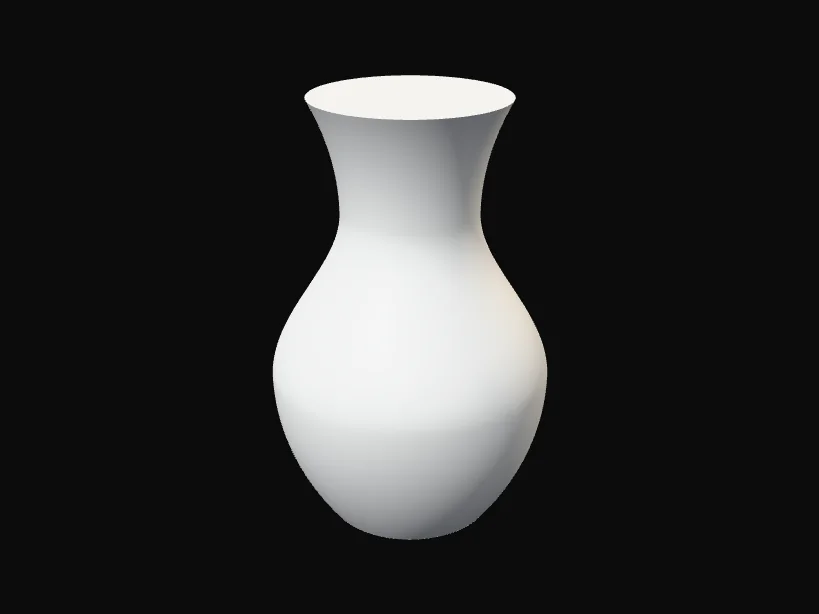
ClassicThe default shape in white, for spiral vase mode. 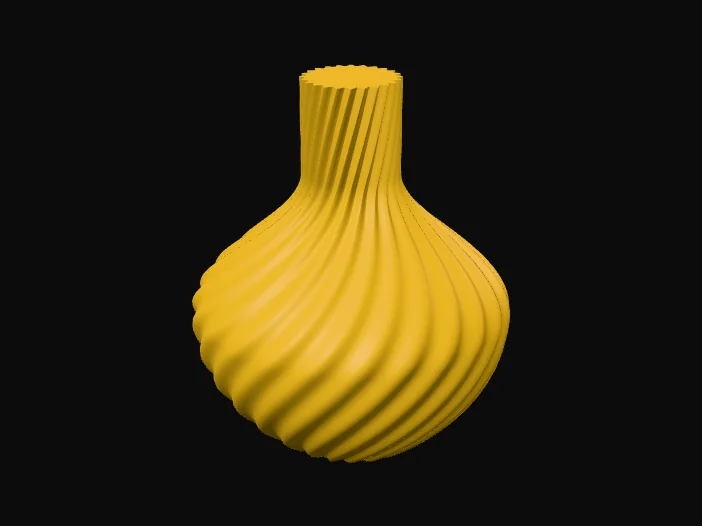
Bulb, twisted and ribbedTwist 120 degrees and 24 ribs, 2.5 mm deep. 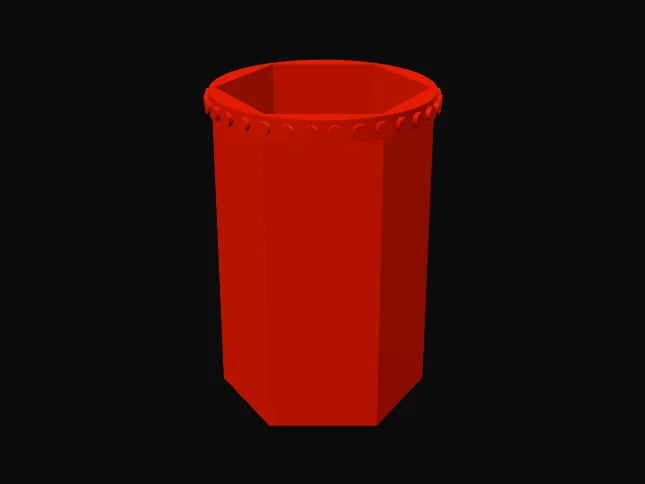
Six flat sides, studs on the rimA walled vase, so the studs can grip real bricks.
Spiral vase mode, in plain words
In spiral vase mode the slicer ignores the inside of the shape. It prints a few solid layers for the base, then the outside wall as one line that climbs round and round without stopping. There is no seam, no top and no infill, so the vase is light and quick, and very smooth. That is why the spiral file is a solid shape: the slicer only needs the outside.
The weight shown is for one 0.45 mm wall at 0.2 mm layers, with 3 solid layers in the base. A wider line, such as 0.6 mm with a 0.6 mm nozzle, gives a stiffer vase. Without spiral vase mode the slicer would fill the whole shape, which uses far more plastic.
A walled vase needs no special setting. Set the wall count (perimeters) high enough to fill the wall: the page tells you how many.
Turn it on before you slice:
| Slicer | Where to switch it on |
|---|---|
| Cura | Special Modes, then tick Spiralize Outer Contour. |
| PrusaSlicer | Print Settings, Layers and perimeters, then tick Spiral vase. |
| Bambu Studio and OrcaSlicer | The Others tab, Special mode, then tick Spiral vase. |
Questions
Is it free? Do I need an account?
It is free and needs no account. The vase is made in your browser, so nothing is sent anywhere.
Spiral vase mode or walled: which should I pick?
Spiral vase mode for a light, smooth, quick print, mostly for dried flowers or as a cover for a jar. Walled for a stronger vase, thicker walls, or brick studs that grip bricks.
Will it hold water?
A walled vase with a 1.6 mm wall or more usually does. A single spiral wall can seep through tiny gaps, so put a glass or jar inside for fresh flowers.