Free G-code viewer
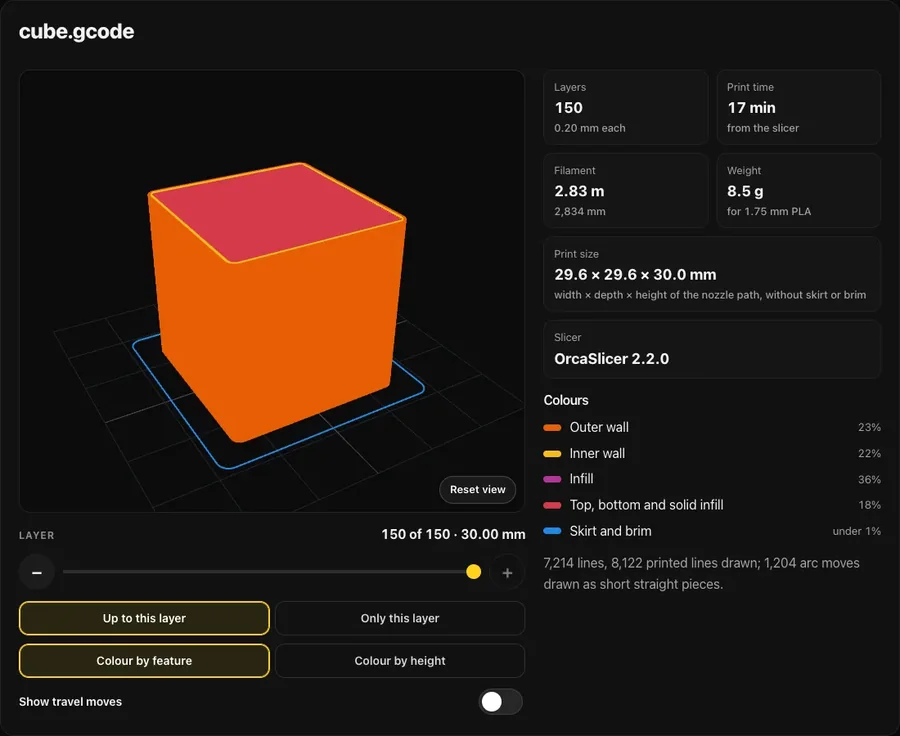
Check a sliced file before it goes to the printer. Choose a G-code file to see every layer in 3D, with the print time, the filament it uses and what it weighs.
Nothing is sent anywhere. The file is only read, never changed.
Your print
Colours
How it works
- Slice your model as usual, export the G-code, and choose that file here.
- The viewer reads every move in the file. Moves that push out filament are drawn as lines; moves that only travel are hidden unless you switch them on.
- Drag the layer slider to step through the print from the first layer up, or pick "Only this layer" to look at one layer on its own.
- Print time and the slicer's name come from the notes your slicer writes into the file. Filament length is added up from the moves themselves, and the weight is for 1.75 mm PLA.
What it reads
Reads G0, G1, G2 and G3 moves (arcs are drawn as short straight pieces), absolute and relative positions and extrusion, inches or millimetres. Binary G-code (.bgcode) is not supported yet.
Is my G-code file uploaded anywhere?
No. The file is read by your browser on your own device and never leaves it. There is no account and nothing to install.
Which slicers does it understand?
Any slicer that writes plain G-code: PrusaSlicer, OrcaSlicer, Bambu Studio, UltiMaker Cura, SuperSlicer and Simplify3D among them. Walls, infill, support and skirt get their own colours when the slicer labels them in the file; otherwise the lines are coloured by height.
Why is the filament weight different from my slicer's?
The viewer adds up the filament pushed by every move and turns it into grams for 1.75 mm PLA (1.24 g per cubic cm). PETG, ABS and other plastics weigh a little more or less, and some slicers count the purge line or the wipe tower differently.