Free 3D model viewer
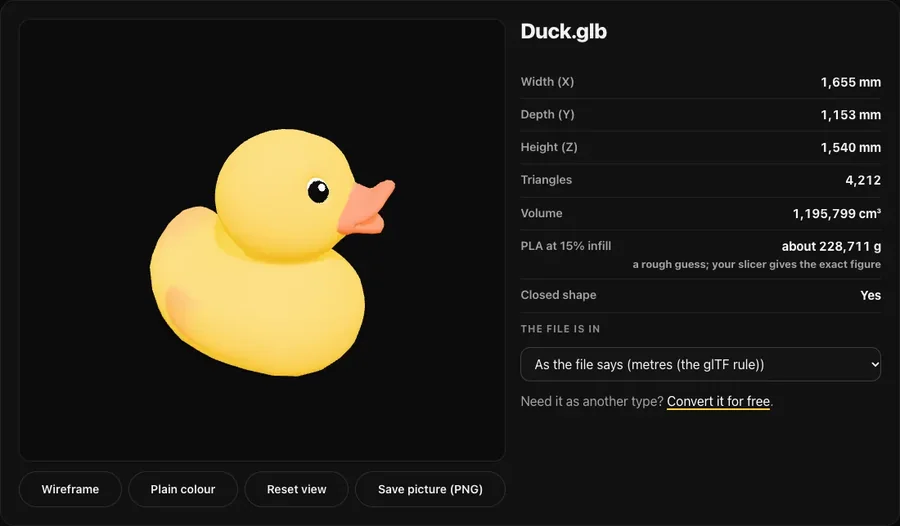
Open a 3D file and turn it round in your browser. See how big it is in millimetres, how many triangles it has, its volume and about how much PLA it takes to print.
Your file is opened in this tab only. It is never uploaded, and you do not need an account.
How it works
- Choose the file: STL, OBJ, 3MF, GLB, glTF or PLY. It is read by your browser, on your own device.
- Look at it: drag to turn it, pinch or scroll to zoom. Switch on the wireframe to see the triangles, or plain colour to hide the file's own colours.
- Read the numbers: width, depth and height in mm, triangles, volume and a rough weight of PLA at 15% infill. Save a picture of the view as a PNG.
Questions
Is my file uploaded?
No. The file is opened by your browser on your own device and never leaves it. There is no account and nothing to install.
How close is the weight of PLA?
It is a rough guess: walls of about 0.85 mm over the whole surface, plus 15% infill inside, at 1.24 g per cm³. For a closed model it is usually within about 10% of what a slicer says. Supports and brims are not counted.
Why is my model the wrong size?
Some files do not say their unit. STL, OBJ and PLY are read as millimetres, a GLB as metres (the glTF rule) and a 3MF as whatever it says. If a model shows 25.4 times too small, it was saved in inches: choose inches under “The file is in”.